iCAD Mac
iCAD Mac Banner!
iCAD Mac: Your Mac. Your DWG. No Conversions.
With intuitive tools and a familiar interface, iCADMac supports the demanding workflows of civil engineering, land surveying and construction CAD on Mac systems.
Simple, Affordable Drafting for Survey and Field Teams Who Prefer Their Mac
For Windows-based teams, progeCAD Professional offers the same IntelliCAD-based platform and functionality. Together, they provide a flexible, budget-friendly option for large staffs working across both operating systems.
2D drafting tools
— Draw site layouts, boundary lines, easements and utility paths using layers, dimensions and hatch patterns
Basic 3D capabilities
— Supports simple 3D views for slopes and elevations—not full modeling, just enough for layout clarity
DWG and DXF survey data support
— Open and edit files from field crews and instruments without converting formats
Coordinate input and reference
— Use known points and real-world coordinates to help keep parcel lines and site plans aligned
Precision drafting commands
— Use snaps, polylines and angles for clean, accurate field plotting
Reusable blocks and templates
— Create and manage your own symbols, legends and title blocks to speed up repetitive tasks
This feature set makes iCADMac a practical drafting tool for surveyors, engineers and contractors using macOS, supporting clean DWG workflows from field edits to office-ready plans—without the cost or complexity of full design software.
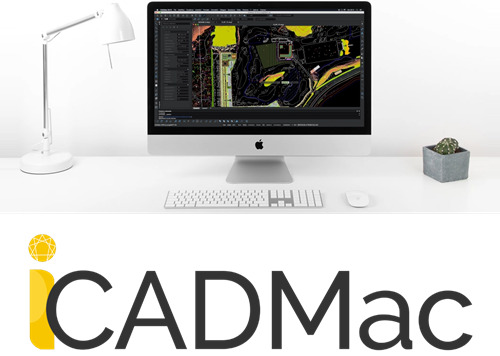
Reliable performance in the field and in the office—draft and edit confidently on your MacBook or iMac
Why iCADMac Is Perfect for Architecture, Engineering & Construction Projects
iCADMac is specifically designed to meet the needs of professionals in architecture, civil engineering, and construction who rely on Mac-based CAD design tools.
Native macOS Support
Developed as a true macOS application, iCADMac offers a seamless, native user experience. It integrates with system-level features and delivers a stable, responsive environment that Mac users expect.
DWG/DXF Compatibility
Open, edit and save drawings in AutoCAD’s native DWG and DXF formats with full fidelity. This ensures smooth collaboration across teams and with clients using different CAD platforms.
2D Drafting with Basic 3D View Tools
iCADMac offers reliable 2D drafting tools and simple 3D viewing capabilities that are ideal for producing site plans, utility layouts and basic terrain features that we need.
Affordable Licensing
iCADMac offers cost-effective perpetual licenses as a strong alternative to subscription-based AutoCAD. Pay once and use it indefinitely without recurring fees.
Customizable Workflows
Support for LISP routines, customizable tool palettes, templates and layered drawing management allow firms to standardize and optimize their CAD workflows on macOS.
Fast Performance
Lightweight and optimized, iCADMac delivers smooth operation on Mac hardware, ensuring quick load times, responsive drawing updates and efficient 3D rendering.
Why Call Complete CAD Solutions for your iCADMac software?
We support both Mac and Windows environments with iCADMac for macOS and progeCAD for Windows—practical drafting tools backed by experts who understand how you work.
Why Choose Us?
- Authorized Dealer & Trusted Partner
- Competitive pricing with included training
- Hassle-Free purchases, upgrades & renewals
- CAD Starter Review – to guide your first purchase
- CAD Utilization Review – track, trim, tune your setup
- Support built for land development professionals
Every Purchase of Software Includes:
- Fast license provisioning and setup help
- Technical support from us and from That CAD Girl
- 12-month Webinar Series subscription
- Virtual Classroom registration
- 24/7 access to your secure customer portal
Frequently Asked Questions (FAQs)
Is iCADMac compatible with AutoCAD files?
Yes. iCADMac offers full compatibility with AutoCAD DWG and DXF file formats, allowing you to open, edit and save files without conversion or data loss.
Can iCADMac run natively on macOS Ventura or Sonoma?
Yes. iCADMac is designed to run natively on current macOS versions, including Ventura and Sonoma, without requiring any virtualization or emulation software.
Is iCADMac a subscription-based software?
No. iCADMac is available via perpetual licensing, meaning you pay once and own the software license outright without forced subscription renewals.
Can I customize iCADMac with LISP routines or macros?
Yes. iCADMac supports LISP scripting along with customizable tool palettes and templates, allowing you to tailor the software to your specific drafting and automation needs.
Why should I buy iCADMac from Complete CAD Solutions?
Complete CAD Solutions is an authorized reseller with in-depth knowledge of CAD and its industry applications. We provide personalized consultations, expert training and targeted technical support when needed to ensure you get the most out of your investment.